






How it works
How does a Wallet loyalty card work?
You put the QR code on the counter
We send it to you ready to print, with your shop's name on it. You slide it into a card holder next to the register.
The customer scans. The card appears.
They open the camera on their phone, point it at the QR code, and tap “Add”. Their card is in the wallet. Three seconds, no app, no account to create.
Every visit, you stamp
The customer shows their card, you scan it from your phone. One more stamp on their digital punch card. On the tenth, their reward unlocks on its own.
Most of your customers on iPhone? The Apple Wallet loyalty card setup guide, in ten minutes.
Want to see the templates first? Create your loyalty card from a template, free to design.
Made for your business
A card worth keeping.
Neighborhood café, seasonal flowers, Italian table or beauty studio. Four collections to make your own.
Three palettes per collection. Your name, your logo and a stamp with your character.
Create my card
Stamps
6/10

Next reward
A free croissant
To go
4 stamps
5 stamps
earned
10 stamps
A free croissant
Le Zinc
Le Zinc
Stamps
6/10
Next reward
A free croissant


Stamps
4/9

Next reward
A small bouquet
To go
2 stamps
3 stamps
earned
6 stamps
A small bouquet
Les Pivoines
Les Pivoines
Stamps
4/9
Next reward
A small bouquet


Stamps
7/10

Next reward
A free pizza
To go
3 stamps
5 stamps
earned
10 stamps
A free pizza
Da Ennio
Da Ennio
Stamps
7/10
Next reward
A free pizza


Points
85/120 points

Next reward
A free treatment
To go
35 points
60 points
earned
120 points
A free treatment
Atelier Capucine
Atelier Capucine
Points
85/120 points
Next reward
A free treatment

Examples use the actual pass images. Layout can vary by device.
Your customers, in plain sight
Who’s back, who’s drifting: all on one screen.
No complicated reports. You open your dashboard and see visits, rewards, your best days, and the regulars who are starting to drift away.
StampyWallet
LCLe Comptoir Saint-RochTrial · D−12
Overview
Track visits, rewards and customers to bring back from one place.Last 30 daysSend your customers a message
- Bring backThey have not returned for a while27
- Nearly rewardedOne visit away from their reward12
- RegularsYour most frequent customers18
- C CamilleVisited today Almost! 7/8
- Y YanisVisited yesterday 5/8
- F FaridaVisited 2 days ago 4/8
- M MarcVisited 4 days ago 2/8
Visits over the last 90 days. Enough to pick the day for a message, or for a closure.
The real screen, replayed with sample data: same tiles, same curve, same customer groups as the one you open in the morning. Every figure can be exported from your account.
Messages
A quiet Tuesday? Let the right customers know.
A notification on their lock screen, free. And when the card isn't in their Wallet, a text goes out instead, to customers who left their number.
You write the message once. Each customer gets it through the channel that brings them back.
Example
Everyone at once, or just one group. The groups build themselves:
Every customer who has your card.Not seen in 30 days.Not seen in 60 days.Not seen in 90 days.One or two stamps from their reward.Birthdays this month.Your best customers: the top 20 % by visits.
412 recipients
Wallet notification338
Free, on the lock screen
Text74
No card in their Wallet, or a customer who mostly comes back after a text
200texts a month, included in Growth
Spread across the month so there are still some left on the last day. Nothing goes out on Sundays or public holidays.
The report
See what every message brought back.
One customer in ten never gets your promotions or the automatic win-back message: that's the control group. Seven days after each message, we count who came back to the counter on each side. The gap is what your messages actually earned you.
- The control group still gets everything about their own card: reminders, birthday gift, review request
- No number until the gap is too big to be luck
- Extra sales estimated from the amounts you enter at the counter, or your average basket
Example · 90 days, 420 messages
38return visits thanks to your messages
≈ $410 in extra sales, estimated
One customer in ten is drawn at random, once and for good: they don't get your messages.
Messaged customers
31% back within 7 days
Control group
22% back within 7 days
Try it, right here, right now
Scan: you're the customer. Stay here: you're the shop owner.
The QR adds a real card to your phone: the normal customer journey, Apple Wallet or Google Wallet. And this page becomes your counter: add a stamp from here, watch it land over there.
- The card lands in the wallet in three seconds, nothing to install
- “Add a stamp” below, and the card on your phone updates
- “Send the notification”, lock your screen, and it arrives
StampyWallet
8 visits = your first month free

Scan, and your card is added
The counter sign, straight off your printer. Aim your phone's camera at the code, nothing to install.
On your phone already? Add the cardThe card is being added in the other tab. Come back here afterwards: the counter is waiting, stamp included.
The card exists. Your turn
Stamps
3/8
All of it is real: the same plumbing as your customers' cards. The demo card erases itself after seven days. A stamp also lands on its own within a minute of adding it: the product goes back out to find your customers.
Stamps or points
Points? Every reward gets its photo.
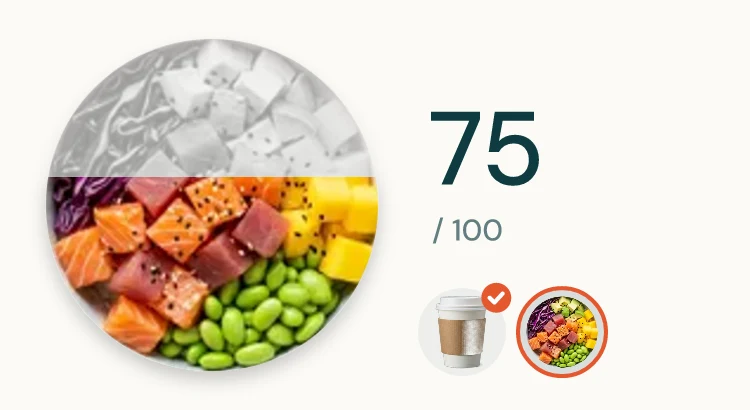
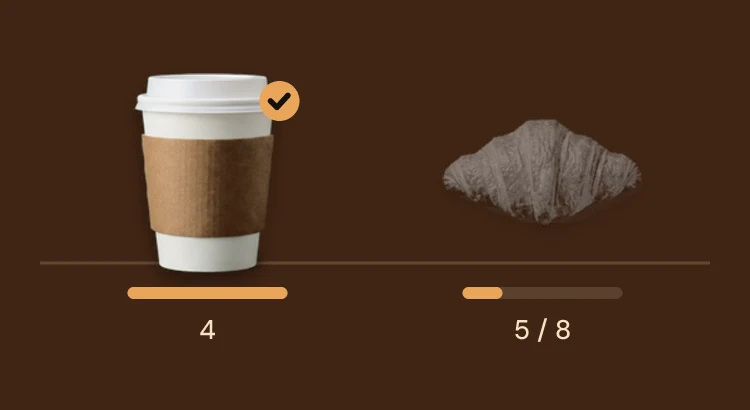
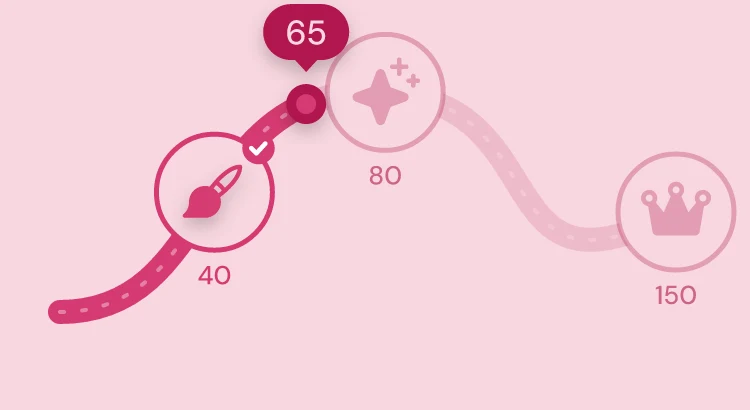
When baskets vary, you give points instead of stamps. Your rewards show up with real photos of your products: in color once earned, in gray before. Customers see what they already have, and what's waiting for them.
- Several rewards on the same card
- Photos of your products, background removed automatically
- Five layouts to choose from: medals, showcase, fill up, path, ring

Reviews and birthdays
More Google reviews, and a gift on their birthday.
Le Comptoir Saint-Rochyesterday
Thanks for stopping by Le Comptoir Saint-Roch! Got a minute for a Google review? s.stampywallet.com/k7Hq2mXa
Example
Le Comptoir Saint-RochCafé · Google listing
4.8127 reviews+1
-
Camillejust now
Best flat white in the neighborhood, and they saved me a seat at the counter.
-
Thomas3 days ago
Lovely welcome, croissants still warm.
Once they've earned a reward, your customer gets a direct link to your Google listing by email or text. One request per customer, ever.
Same link for everyone: no rating step first, no filtering, nothing offered in exchange, exactly as Google's rules ask.
The request goes out after a reward, or after the number of visits you choose.
Le Comptoir Saint-Roch
Happy birthday!
10% offyour purchases for 30 days
Until November 14Show your card
And on their birthday, a gift.
A notification tells them about their gift: a discount, buy one get one free, their pick of the two, or a gift you write yourself. The discount or the offer shows on their card for 30 days. No gift set, no message sent.
- Day and month of birth only, never the year
- At the counter, the scan screen shows the current gift with its “Offer used” button
Gift cards
Sell gift cards, with nothing to install.
A product or an amount, that your customers give to the people they love. Whoever receives it adds it to their Wallet, and shows it at the counter.
- Valid for 3, 6 or 12 months, your call
- The giver's name and a short note, right on the card
An item or an amount, in your colors.
-
 Le Fournil
Gift card1 item

A free Croissant
FromMaxValid untilApr 17, 2027Le Fournil, bakeryA free item, with its photo
-
 Le Zinc
Gift card1 item

A free Cappuccino
FromJulesValid untilJan 9, 2027Le Zinc, coffee shopA free item, with its photo
-
 Capucine
Gift cardUSDBalance50$
of $50
FromCamilleValid untilApr 30, 2027Capucine, beauty salonA $50 card
-
 Kōri Poké Bar
Gift card1 item
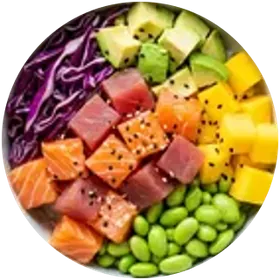
A free Salmon poke
FromInèsValid untilOct 2, 2027Kōri Poké BarA free item, with its photo
-
 Botanique
Gift cardUSDBalance32$
of $50 · last used Oct 12, 2026
FromSofiaValid untilMar 14, 2027Botanique, floristA $50 card, $18 already spent
Examples, made-up shops: three free items, each with its photo, and two $50 cards, one of them already partly spent.
A product is redeemed once, an amount can be spent over several visits.
-
Picked and paid at your register
You ring it up as usual: StampyWallet never touches the money.
-
Sent by WhatsApp or by link
Or by QR code, or printed out. Whoever receives it adds it to their Wallet.
-
Scanned at the counter
The amount comes off, and the rest waits for next time.
Pricing
Simple pricing. No hidden fees.
Start on your own, automate loyalty as your customer base grows, then roll out the same experience across your whole network. Prices before tax.
Essential
Get startedFor an independent shop ready to move from paper to Wallet.
€20 excl. VAT / month
Billed monthly. No commitment.
Try EssentialIncluded in this plan
- 1 location
- Unlimited customers, cards and visits
- Stamps, points and tiered rewards
- Notifications to all customers, Wallet, QR and dashboard
Most chosen
Growth
GrowFor an established business ready to automate customer returns.
€40 excl. VAT / month
Billed monthly. No commitment.
Try GrowthIncluded in this plan
- Everything in Essential
- Automatic customer groups, targeted messages and advanced figures
- Automatic messages, reminders, birthdays and Google reviews
- 200 texts a month, for cards that aren't in a Wallet
- Gift cards, and the report with a control group
- Unlimited team and register connection on request
- API, POS connections and webhooks
Network
Multi-locationFor a brand managing several locations from a single account.
From €90 excl. VAT / month
Priced to the number of locations.
Talk about my networkIncluded in this plan
- Everything in Growth, for every location
- Several locations and teams in one account
- Guided setup with your team
- Priority support and connections worked out with you
30 days free with every Growth feature, no credit card, no commitment.
Using a register? Tell us about it
And if you stop: your customers' cards keep working and you can keep stamping. Nothing is lost, nothing goes dark on their side.
Compare plans
| Feature | Essential | Growth | Network |
|---|---|---|---|
| Locations | 1 | 1 | Several |
| Unlimited customers, cards and visits | ✓ | ✓ | ✓ |
| Notifications to all customers | ✓ | ✓ | ✓ |
| Customer groups and targeted messages | × | ✓ | ✓ |
| Automatic messages | × | ✓ | ✓ |
| 200 texts a month | × | ✓ | ✓ |
| Gift cards | × | ✓ | ✓ |
| Report with a control group | × | ✓ | ✓ |
| API, POS connections and webhooks | × | ✓ | ✓ |
| Unlimited team | ✓ | ✓ | ✓ |
| Priority support | × | × | ✓ |
The questions we get
You're probably wondering…
Do I need a tablet or a connected register?
No, you need neither a tablet nor a connected register: your phone is enough, iPhone or Android. Open a web page, scan the customer's card with the camera, done. There is nothing else to buy. If the connection drops at the wrong moment, the counter keeps working: offline stamps leave as soon as it comes back, without duplicates.
What about customers without a smartphone?
For customers without a smartphone, keep your cardboard cards. Both systems work side by side: nothing forces you to change everything overnight.
Do my customers have to install an app?
No, your customers don't install any app. The card is added to the wallet already on their phone: they scan the QR code with the camera and tap “Add”. No wallet on the phone? The same card opens in the browser, or arrives by email with its PDF. Nobody is left out.
Does the card work on iPhone?
Yes. On iPhone, the card goes into Apple Wallet, just as it goes into Google Wallet on Android. Both are included in the subscription, at no extra cost.
Can I count euros spent instead of visits?
Yes, to count euros spent instead of visits, use points mode. Decide what a visit is worth, or add one-tap shortcuts to the scanning screen. Call them whatever fits your business: points, seeds or coffees. If you want your register to stamp automatically, we connect it with you: SumUp, Zettle or the system you already use. Using a register? Tell us about it
Can my staff stamp cards?
Yes, your staff can stamp cards: add as many scanning accounts as you need, at no extra cost. Everyone has a role: you manage the settings, the team stamps, and nobody can break anything. When somebody leaves, close their access in one tap without changing anything for the rest of the team.
What if a card is stamped twice for one coffee?
A card can't be stamped twice by mistake for one coffee: a safeguard rejects a second scan made immediately afterwards. You choose the delay, or turn it off if it does not suit your counter. If you scan the wrong card, an undo button lets you correct it and the next scan can go through straight away.
How long does it take to get going?
Getting going takes five minutes. Create your card, choose the reward and print the sign with its QR code, or share your link in your Instagram bio or at the bottom of a receipt. Send yourself the first stamp to check that everything works.
What happens if I close for three weeks in August?
If you close for three weeks in August, declare your closing dates and the calculation follows your opening days instead of the calendar. Your regulars do not become ‘lost customers’ because you were on holiday.
What if I have two locations?
With two locations or more, the Network plan brings them into one account, each with its own card, customers and figures. Move from one to another without changing tools, with pricing adapted to the number of addresses.
Why is there no free plan?
There is no free plan because a free plan capped at fifty customers would eventually force you to choose between paying and losing customers. You can try every Growth feature for thirty days, free and with no credit card. After that, Essential remains unlimited and still includes notifications. Comparing prices? See StampyWallet against Square Loyalty, Loopy Loyalty, Kangaroo Rewards and Stamp Me.
What happens if I stop paying?
If you stop paying, your customers' cards keep working and you can keep stamping. You only lose access to your figures and message sending. If you come back, your full history is still there.
Who owns my customers' data?
You own your customers' data. Export it to CSV in one click whenever you want, without asking anyone. It is hosted in Strasbourg and GDPR compliant. Customers can also erase their own card and data from the card itself: when something is deleted, it is gone for good.
How do I get more Google reviews?
To get more Google reviews: after their first reward, your customer gets a review request by email or SMS (200 SMS a month included in Growth, email unlimited). The link goes straight to your Google listing, the same for every customer: no rating step, no filtering, nothing in exchange for the review, as Google's rules require. One request per customer. The details are on the Google reviews page.
You're one stamp short.
Create your shop's card in five minutes. Thirty days free, no credit card.
No commitment. Your data is hosted in the EU under the GDPR, and you can export it at any time.